
 Md Sarwar
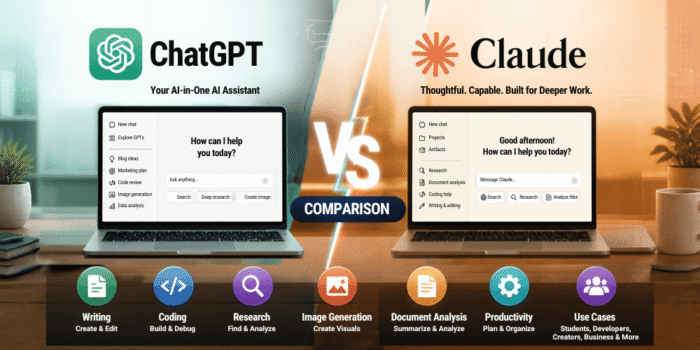
Choosing between ChatGPT and Claude is not as simple as picking the AI that gives the best answer. Both can help you write, research, analyze documents, solve problems, and build software. The real difference is how well each one fits the way you work.
ChatGPT, developed by OpenAI, offers a broad collection of AI capabilities, including web search, deep research, image generation, file analysis, and voice features. Claude, developed by Anthropic, is another powerful assistant with a strong focus on writing, coding, long-document analysis, and research workflows.
But which one should you actually use in 2026? Is ChatGPT better for students and everyday tasks? Is Claude the better choice for developers and content writers? And is it worth paying for either subscription?
In this guide, we compare ChatGPT and Claude across writing, coding, research, reasoning, image generation, document analysis, pricing, and everyday productivity. We also explain where each tool has limitations so you can make a decision based on your own needs.
Quick answer: Choose ChatGPT if you want a versatile AI assistant with a broad range of built-in tools. Consider Claude if your work revolves around writing, coding, working with long documents, or structured knowledge tasks. Both deserve consideration, and your results will depend on the model, available features, subscription limits, and how you use them.
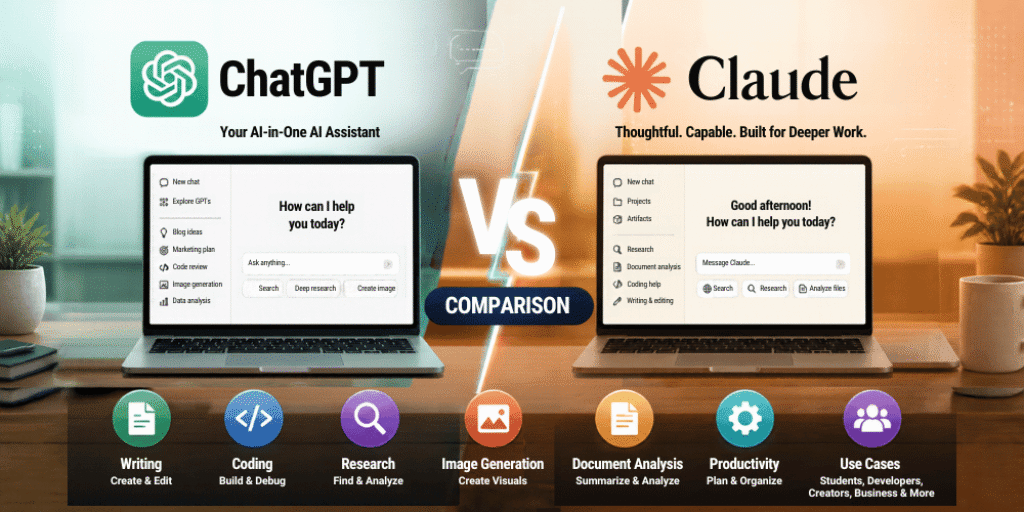
ChatGPT vs Claude: Quick Comparison
If you want the short version before exploring the details, here is how the two assistants compare across common tasks.
| Feature | ChatGPT | Claude |
|---|---|---|
| Everyday questions | Excellent all-purpose assistant | Excellent conversational assistant |
| Blog writing and editing | Strong for drafting, outlining, and revision | Worth testing for natural prose and detailed editing |
| Coding | Coding assistance, debugging, and development tools | Coding assistance and Claude Code workflows |
| Web research | Search and Deep Research, depending on access | Web search and Research, depending on access |
| Image generation | Built-in image generation on supported plans | Do not assume a comparable built-in image-generation feature |
| Image and screenshot analysis | Supported | Supported for compatible image inputs |
| Long documents | Depends on the selected model and plan | Some paid-plan models support very large context windows |
| Voice interaction | Voice features on supported plans | Voice availability and capabilities depend on the current product offering |
| Custom assistants | Custom GPTs on supported plans | Projects and other available customization features |
| Data and file analysis | File analysis and data tools on supported plans | Document and file analysis, with capabilities depending on the task |
| Software development | Chat, coding tools, and Codex where available | Chat, coding tools, and Claude Code where available |
| Best overall fit | People who want a broad AI toolkit | People who prioritize writing, coding, and long-context work |
1. What Is ChatGPT?
ChatGPT is an AI assistant developed by OpenAI. You can use it to ask questions, draft articles, summarize information, brainstorm ideas, analyze files, write code, and work with different types of media.
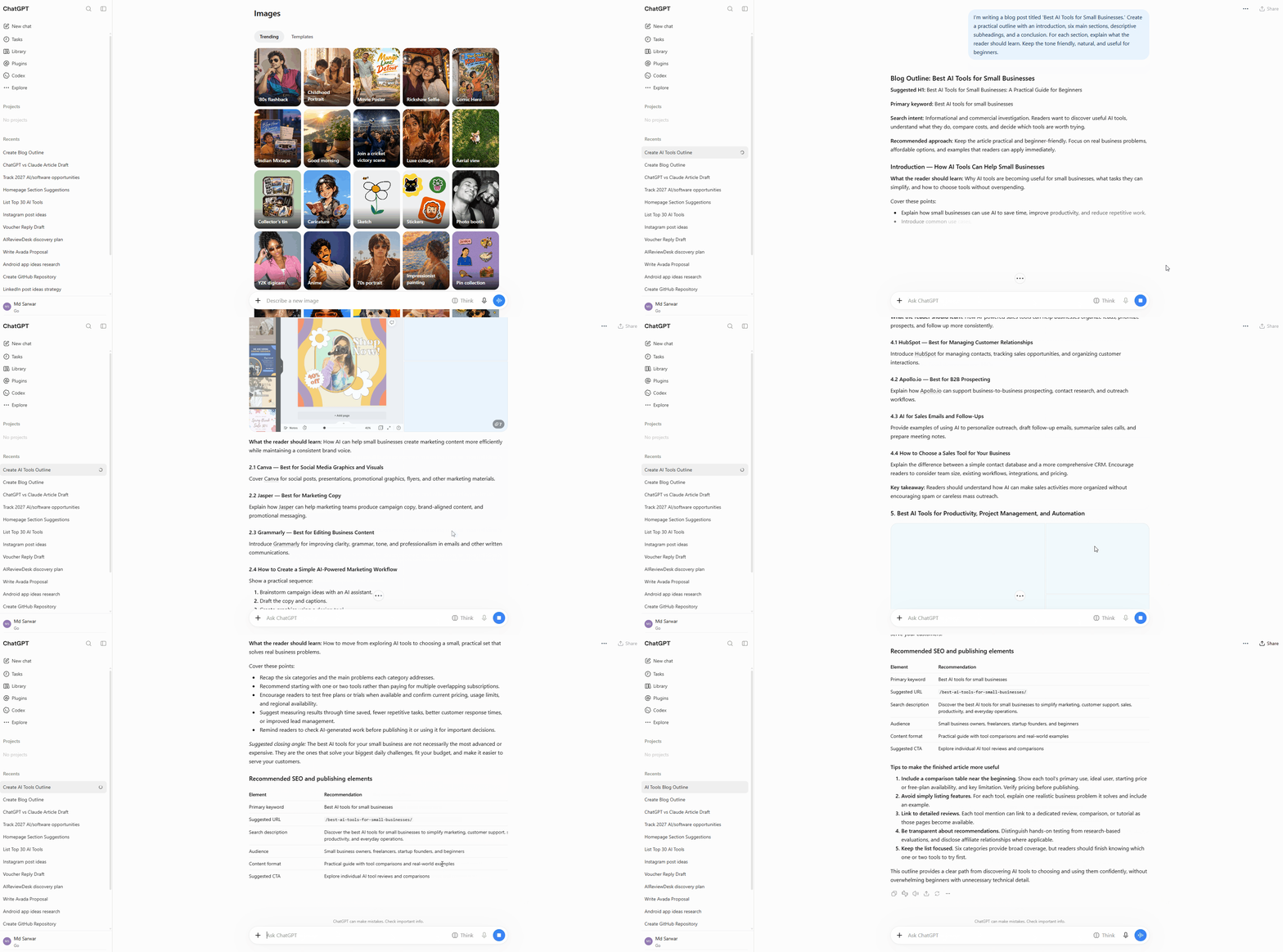
Its biggest advantage is breadth. Instead of using one tool for writing, another for research, and a separate service for generating images, you can access multiple capabilities within the ChatGPT experience, subject to your plan and the features available to you.
For example, a content creator could use ChatGPT to research a topic, create an article outline, draft a script, analyze a spreadsheet, and generate a supporting image. A developer could use it to understand an error, review code, or work through a programming problem.
ChatGPT also includes features such as web search and Deep Research. Search can help retrieve current information, while Deep Research is designed for more involved research tasks that synthesize information from multiple sources into a structured report.
Key ChatGPT features
- AI writing: Draft, rewrite, summarize, and edit content.
- Web search: Find current information and explore online sources.
- Deep Research: Investigate complex questions using multiple sources and cited findings.
- Image generation: Create images and visual concepts from prompts on supported plans.
- File analysis: Work with documents, spreadsheets, and other supported uploads.
- Voice interaction: Talk with the assistant using supported voice features.
- Coding assistance: Explain code, troubleshoot errors, and assist with development workflows.
- Projects and custom GPTs: Organize related work and create reusable, specialized assistant experiences where available.
Who should use ChatGPT?
ChatGPT is a strong starting point for students, marketers, freelancers, entrepreneurs, researchers, developers, and people who want one assistant for several different tasks.
It is especially useful if your day involves switching between research, writing, planning, files, images, and general problem-solving.
2. What Is Claude?
Claude is an AI assistant developed by Anthropic. It can help with writing, analysis, coding, summarization, brainstorming, and research. It is available through its web interface and other supported applications and developer tools.
Claude is worth considering when your work involves substantial amounts of text, careful editing, complex instructions, or software development. For instance, a writer might use it to revise a long article while preserving a consistent tone. A developer might use Claude Code to explore a codebase, make changes, and work through development tasks.
Claude also supports web search and, on eligible plans, a Research feature that can investigate a question through multiple searches and produce responses with citations. Access depends on the product, plan, and current availability.
Key Claude features
- Writing and editing: Draft, restructure, refine, and critique text.
- Coding assistance: Explain code, debug problems, and help implement changes.
- Claude Code: A coding-focused tool for working with software projects and development tasks.
- Web search: Retrieve online information when the feature is enabled and available.
- Research: Conduct more involved, multi-step research on supported plans.
- Document analysis: Review and summarize compatible documents and other inputs.
- Projects: Keep relevant instructions and material organized for ongoing work.
- Long-context processing: Some paid-plan models support very large context windows, although the available capacity varies by model and product.
One detail matters here: a large context window is not the same as unlimited memory, unlimited usage, or guaranteed accuracy. The amount of material you can provide depends on the selected model and product configuration, and Claude can still misunderstand details in a long document.
You can explore Claude directly at claude.ai and review its official Research documentation.
Who should use Claude?
Claude is worth testing if you are a writer, developer, analyst, student, or professional who regularly works with long documents and detailed instructions.
It may be particularly appealing if you want an AI assistant to help you understand an existing codebase, review lengthy material, or refine a substantial piece of writing.
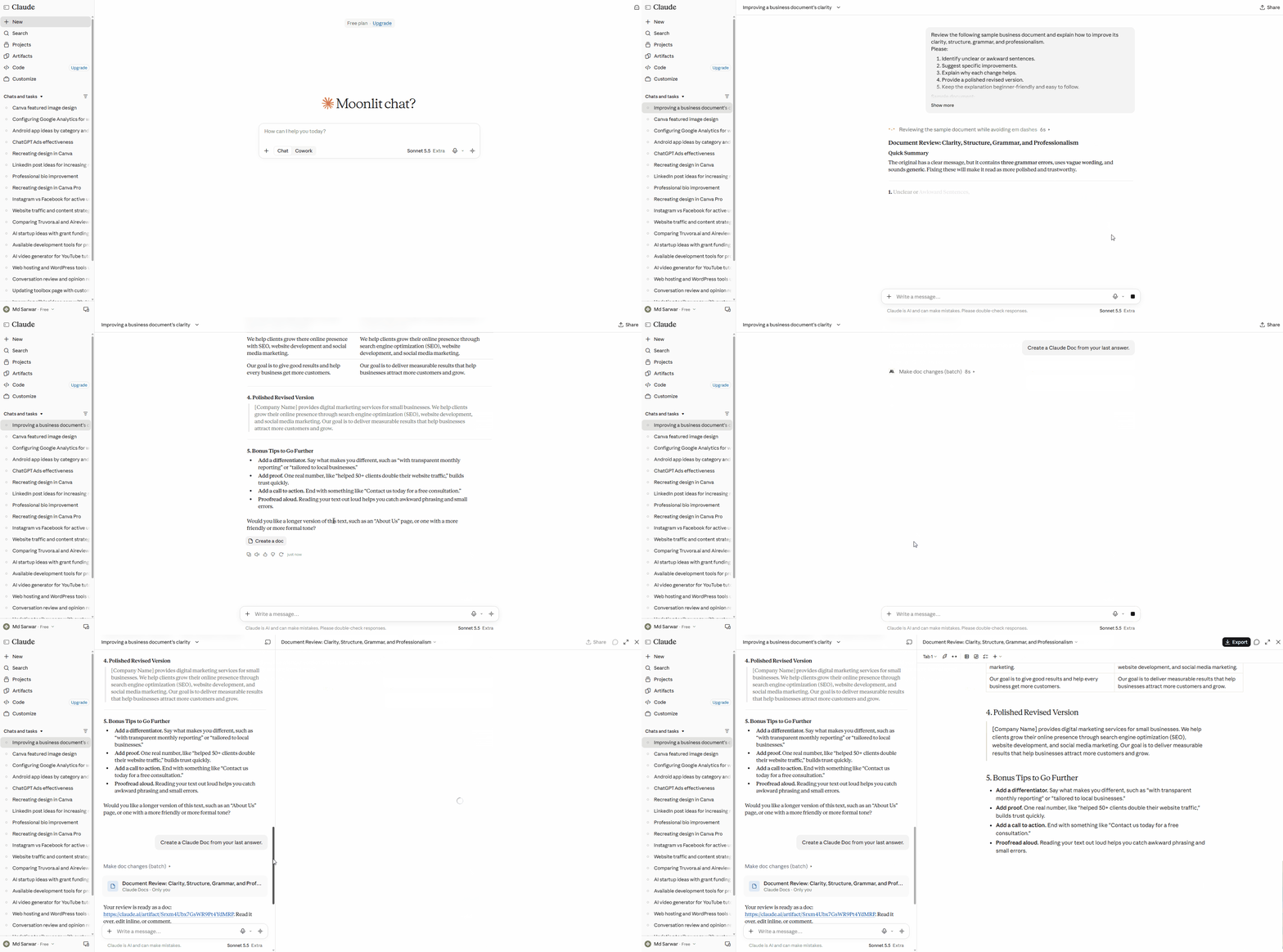
Example output generated using Claude Sonnet 5.5, demonstrating how it reviews a document and suggests improvements.
3. ChatGPT vs Claude for Writing
Writing is one of the most important reasons people compare these tools. Both can produce articles, emails, product descriptions, social posts, video scripts, and other forms of content. The difference is not that one can write and the other cannot; it is how well the output matches your brief and how much editing it requires.
ChatGPT for writing
ChatGPT is useful for getting from a rough idea to a complete content plan. You can ask it to generate headline variations, build an SEO outline, explain a technical subject, adapt content for different audiences, or turn an article into a social media campaign.
It is also useful when writing involves other formats. You might draft a blog post, create a video script from the same research, and generate a supporting image within one workflow, depending on available features.
However, a polished-looking draft is not automatically a publishable one. ChatGPT can repeat ideas, use generic transitions, invent details, or make claims that require verification.
Claude for writing
Claude is worth testing for detailed editing, long-form drafts, and tasks that require following a nuanced tone or preserving the structure of existing material.
You can give it an existing article and ask it to improve clarity without changing the argument. You can also ask it to identify repetitive paragraphs, inconsistent terminology, weak transitions, or unsupported claims.
As with ChatGPT, the results vary. Claude can also produce generic prose, repeat points, or state inaccurate information confidently.
Which is better for blog writing?
There is no reliable universal winner. A short email, a 3,000-word tutorial, and a technical product review place different demands on an AI model.
For SEO articles, I would evaluate both tools on four things:
- Does the draft answer the searcher’s actual question?
- Does it provide specific, useful explanations rather than generic filler?
- Are the facts, examples, and external references verifiable?
- How much human editing is required before publication?
Verdict: Start with ChatGPT if you want a flexible content-production workflow. Test Claude if careful editing and long-form writing are central to your work. For important articles, compare both on the same brief rather than trusting a general ranking.
4. ChatGPT vs Claude for Coding
Both assistants can help developers understand unfamiliar code, write functions, debug errors, explain frameworks, and plan software changes. They are useful for beginners learning programming as well as experienced developers who want help with repetitive or complex tasks.
ChatGPT for coding
ChatGPT can explain error messages, suggest fixes, review snippets, write tests, and help reason through application architecture. Its coding-oriented tools can also support more substantial development work where available.
For a beginner, one advantage is being able to ask follow-up questions in plain language. Instead of simply receiving a code snippet, you can ask why it works, what the alternatives are, and what could break.
Claude for coding
Claude is worth evaluating for repository-level work, multi-file changes, and coding workflows that use Claude Code. These tasks require more than producing a single function: the assistant may need to understand existing conventions, trace dependencies, modify files, and check whether the changes are coherent.
However, no coding assistant should be trusted to modify a production application without review. Generated code can introduce security problems, break existing functionality, or overlook edge cases.
Which is better for developers?
Choose based on your actual development workflow.
| Development task | What to evaluate |
|---|---|
| Learning a programming language | Explanation quality and beginner-friendly examples |
| Debugging an error | Whether the proposed fix addresses the root cause |
| Building a WordPress plugin | Compatibility, security, hooks, and regression testing |
| Working with a large codebase | Repository understanding and cross-file consistency |
| Building a web application | Architecture, maintainability, and implementation quality |
| Automating repetitive development work | Tool access, permissions, testing, and reviewability |
For a fair test, give both assistants the same bug report and a small, reproducible example. Compare the diagnosis, the proposed fix, and the test results rather than judging the answer by how confidently it is written.
Official resources: OpenAI Codex and coding tools and Claude Code.
5. ChatGPT vs Claude for Research
Research is another area where the right choice depends on the task. Asking a simple factual question is different from investigating a market, comparing software products, or preparing a report with verifiable sources.
ChatGPT for research
ChatGPT offers web search and Deep Research, subject to plan and availability. Search is useful when you need recent information or want to check a specific fact. Deep Research is designed for more involved investigations that gather and synthesize information across sources.
For example, a marketer could research competitors, a student could investigate a topic, or a business owner could compare software products before making a purchasing decision.
Claude for research
Claude supports web search and has a Research feature on eligible paid plans. Its multi-step research workflow can explore different aspects of a question and return a structured answer with citations.
This is useful when you need more than a quick response. You can ask Claude to compare competing explanations, investigate a product category, or summarize a set of online sources.
Which is better for deep research?
Both can be useful. Neither should be treated as an infallible research engine.
For a research-heavy article, check whether the sources actually support the claims, whether the information is current, and whether the assistant has represented opposing evidence fairly. A citation is only helpful when it points to a relevant source that substantiates the statement.
A practical workflow is to use an AI assistant to discover sources, open the important sources yourself, and then write or revise the article based on verified evidence. For technical specifications, pricing, and availability, official product documentation should take priority over third-party summaries.
Official documentation: ChatGPT capabilities and Deep Research and Claude Research.
6. ChatGPT vs Claude for Image Generation
If creating visuals is part of your work, this is an important difference.
ChatGPT offers built-in image generation on supported plans. You can use it to explore visual concepts, create illustrations, generate social media graphics, or develop early mockups from a text prompt.
Claude can work with compatible image inputs, such as screenshots and visual material, but you should not assume it offers the same built-in image-generation workflow as ChatGPT. You may need a separate image tool for creating visuals when working with Claude.
Which should you choose?
ChatGPT is the more straightforward choice if you want to generate images within the same assistant experience. Claude can still contribute to the creative process by helping you develop image prompts, write art direction, or review a visual brief.
Keep in mind that image-generation access, limits, and editing capabilities can change. Verify current availability before paying for a plan specifically for image creation.
7. ChatGPT vs Claude for Document Analysis
Both assistants can help you understand lengthy or complicated material. Common examples include reports, meeting notes, research papers, business documents, spreadsheets, and software documentation.
ChatGPT supports file uploads and data analysis on eligible plans. Depending on the file and available tools, it can summarize documents, extract information, answer questions about uploaded material, and help analyze tabular data.
Claude also supports document analysis and large-context workflows. Some paid-plan models offer particularly large context windows, making them worth evaluating when you need to work with a substantial amount of material at once.
Does Claude’s larger context window make it better?
Not automatically.
A context window determines how much input a model can process in a particular interaction. It does not guarantee that the assistant will notice every detail, remember everything perfectly, or interpret the document correctly.
The relevant limit also depends on the selected model, subscription, and product. See the Claude context window documentation for the models and limits Anthropic currently documents.
If you regularly analyze long reports, compare the practical limits of the plans you can access. If you mostly work with short PDFs, a larger context window may make little difference to your day-to-day experience.
Consider Claude when large-context processing is an important requirement. ChatGPT remains a strong option for document work that benefits from its broader analysis and tool capabilities. Test both with a real, representative document before deciding.
8. ChatGPT vs Claude for Everyday Productivity
For everyday work, the best assistant is often the one that reduces friction across your routine rather than the one that wins a particular benchmark.
ChatGPT can help you brainstorm, plan projects, summarize information, draft emails, analyze files, and switch between different types of tasks. Its Projects and custom GPT features can also help organize recurring work where available.
Claude can help organize ideas, revise documents, summarize research, and work through detailed tasks. Projects can be useful when you want to keep related instructions and reference material together.
Imagine you are running a small online business. You need to write a blog post, research competitors, review a spreadsheet, create a promotional visual, and prepare a social media caption.
ChatGPT may be a convenient choice because these tasks can fit into one broad tool environment. If the main work is reviewing a long strategy document, editing a report, or developing software, Claude may be equally attractive or a better fit for your workflow.
The important point is that a long list of features is not the same as productivity. A tool only saves time if it works reliably for the tasks you perform.
ChatGPT is a sensible starting point for broad, mixed-purpose productivity. Claude is a strong alternative for text-heavy and coding-focused workflows. Many professionals will benefit from testing both before committing.
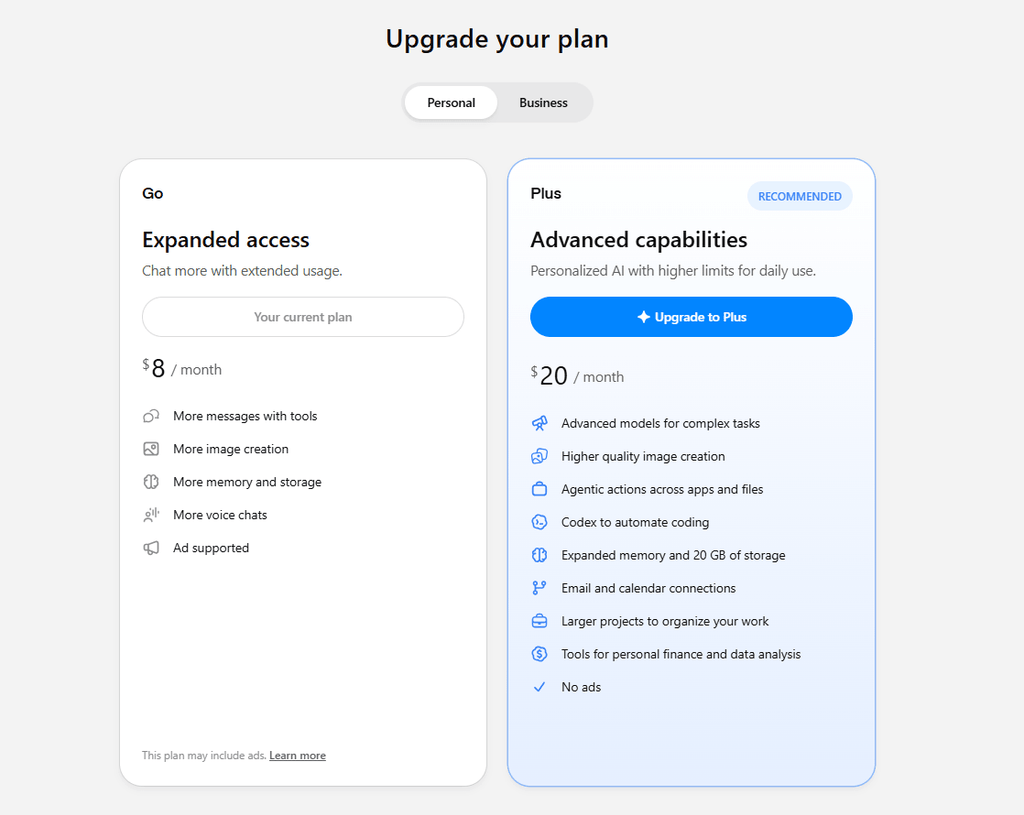
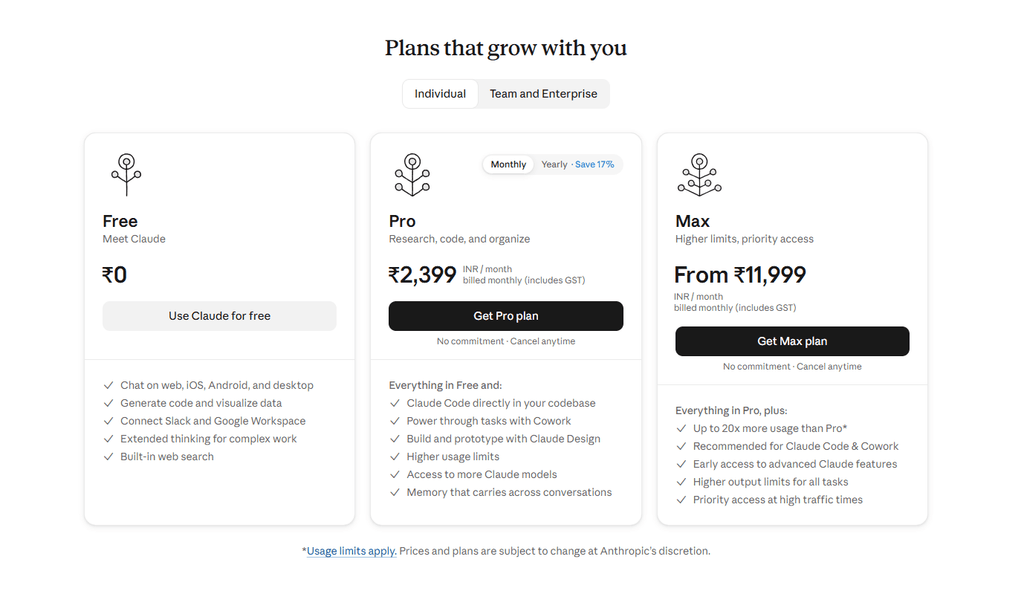
9. ChatGPT vs Claude Pricing: Which Offers Better Value?
Pricing is one of the most important factors when choosing an AI assistant, especially if you are a student, freelancer, or small-business owner.
Both ChatGPT and Claude have offered free access alongside paid plans. Paid tiers can provide higher usage limits and access to additional models or features, but the exact benefits vary by subscription.
Instead of relying on an old price comparison, check the current official pricing pages before subscribing.
Is the paid version worth it?
That depends on how frequently you use the tool and what it helps you accomplish.
A free plan may be sufficient if you ask occasional questions, draft short emails, or experiment with AI. A paid plan may make sense if you regularly reach usage limits or need specific capabilities for research, coding, or professional work.
Before upgrading, consider these questions:
- Do you frequently run into message or tool limits?
- Is there a specific paid feature you genuinely need?
- Will the subscription save enough time to justify its cost?
- Does the plan include the model and tools you intend to use?
- Are there regional pricing, tax, or billing differences to consider?
Do not compare a basic subscription to a higher-tier plan and assume the difference is caused entirely by the underlying AI model. You may also be comparing different usage limits, tools, and access levels.
For developers using APIs, remember that API billing is separate from a consumer chat subscription. Check the relevant official API pricing documentation before estimating development costs.
Start with the free versions when possible, identify your actual limitations, and upgrade only when the extra access is worth paying for. The better-value subscription is the one that meets your requirements at a sustainable cost.
10. ChatGPT vs Claude for Students
Students can use both assistants to explain difficult concepts, summarize reading material, develop revision questions, and get feedback on their writing.
ChatGPT may be helpful when a student needs a broad mix of explanations, research, file analysis, and visual learning aids. Claude may be useful for working through long readings, refining essays, or analyzing detailed material.
Neither tool should replace the learning process. Asking for an answer without understanding the reasoning can leave you unprepared to apply the concept independently.
A better approach is to ask the assistant to explain a concept step by step, generate practice questions, identify mistakes in your reasoning, and then test your understanding without looking at the answer.
Students should also follow their institution’s academic integrity rules and verify factual claims against reliable sources.
11. ChatGPT vs Claude for Freelancers and Small Businesses
Freelancers and small businesses often need AI for several jobs at once: client communication, proposals, content creation, research, coding, reporting, and planning.
ChatGPT can be attractive if you want a broad toolkit that supports several kinds of work. Claude can be valuable if much of your work involves writing, reviewing long documents, or developing software.
For an SEO professional, for example, either assistant can help create outlines and organize research. The human still needs to verify keyword intent, check sources, evaluate competitors, and ensure that the finished article provides original value.
For a developer, the same principle applies. An assistant can suggest code and explain a fix, but you remain responsible for testing, security, compatibility, and delivery quality.
12. Limitations You Should Know Before Choosing
AI assistants can save time, but neither ChatGPT nor Claude should be treated as a source of guaranteed truth.
Here are the main limitations to consider.
Both can make mistakes
An assistant may produce inaccurate facts, misleading explanations, broken code, or citations that do not support the claim being made. Verify important details against original sources.
Feature access is not always equal
A feature may be available only on a particular plan, model, platform, or account. Availability can also change as products are updated.
Usage limits can affect your workflow
A subscription does not necessarily mean unlimited access to every model or feature. Check the applicable limits before depending on a tool for time-sensitive work.
Better prompts do not eliminate verification
Clear instructions and relevant examples often improve the output, but they cannot guarantee factual accuracy or flawless execution.
Privacy matters
Before uploading confidential client documents, business records, source code, or personal information, review the applicable privacy controls and terms. Avoid sharing sensitive information unless you understand how it will be handled and are authorized to do so.
For professional work, the most dependable approach is to treat AI as an assistant that accelerates your process—not as a substitute for judgment, testing, and source verification.
13. How to Choose Between ChatGPT and Claude
If you are still unsure, use this practical decision guide.
| Your main requirement | Where to start |
|---|---|
| A versatile assistant for different tasks | ChatGPT |
| Built-in AI image generation | ChatGPT |
| Web search and multi-source research | Compare the available research features in both |
| Long-form writing and detailed editing | Test Claude alongside ChatGPT |
| Coding and repository-level work | Compare ChatGPT coding tools with Claude Code |
| Analyzing very large documents | Check each model’s available context and file limits |
| Everyday learning and explanations | Try both on the same questions |
| A low-cost way to get started | Compare the free plans before paying |
| Several kinds of creative and business work | Start with ChatGPT, then test whether Claude adds value |
These are starting points, not fixed performance rankings. The model and plan you can access may make a significant difference.
A simple test you can run yourself
Spend 30 minutes comparing both tools on three tasks you perform regularly.
Task 1: Writing. Give each assistant the same brief and ask for a 1,000-word article outline. Compare the specificity, structure, and usefulness of the result.
Task 2: Research. Ask both to investigate the same topic using current sources. Open the cited sources and check whether they support the claims.
Task 3: Problem-solving. Give each assistant the same real coding error, document, or business problem. Compare the diagnosis, proposed solution, and amount of correction needed.
Keep the instructions, input material, and evaluation criteria the same. You will get a more useful answer than relying on a generic claim that one AI is always better.
Conclusion: Should You Choose ChatGPT or Claude in 2026?
ChatGPT and Claude are both capable AI assistants, but they are not interchangeable in every workflow.
ChatGPT is a strong choice if you want a versatile assistant that can help with writing, research, file analysis, image generation, and a wide variety of everyday tasks. Its broad collection of tools makes it a convenient starting point for people who want one AI environment for several different needs.
Claude is worth considering if your work is particularly focused on writing, detailed document analysis, coding, or long-context workflows. Its research and coding tools can also make it a valuable part of a professional workflow.
If you can only choose one, begin with the free plan that best fits your most frequent tasks. Test it on real work before paying. If you regularly encounter limitations or find that another assistant produces better results for your specific needs, compare the alternatives.
And if AI is central to your work, you may not need to choose just one. Using ChatGPT for tasks where its broader toolkit is useful and Claude for tasks where its particular strengths help can be a practical approac as long as the combined subscription cost is justified.
The best AI assistant is not necessarily the one that wins the most comparisons. It is the one that consistently helps you do better work, saves you time, and fits your budget.
Frequently Asked Questions
Is ChatGPT better than Claude?
Neither is universally better. ChatGPT offers a broad set of capabilities, including image generation and research tools, while Claude is worth evaluating for writing, coding, and long-document workflows. The best choice depends on the model, plan, and task.
Is Claude better than ChatGPT for coding?
Both can help with programming. Compare them using your actual framework, codebase, and debugging tasks. Claude Code and ChatGPT’s coding tools offer different workflows, so the best fit depends on your development needs.
Which AI is better for writing articles?
Both can produce useful article drafts and edits. Evaluate how well each follows your brief, structures the content, avoids repetition, and supports factual claims. Human editing and source verification remain essential.
Which is better for research?
Both offer research-related capabilities. ChatGPT provides Deep Research on supported access levels, while Claude offers Research on eligible plans. Compare source relevance, citation quality, coverage, and the time required to verify the results.
Can Claude generate images like ChatGPT?
ChatGPT offers built-in image generation on supported plans. Claude can analyze compatible images, but you should not assume that it provides the same image-generation functionality. Check each product’s current feature list before choosing.
Is ChatGPT or Claude cheaper?
The answer depends on the current plans, your region, and the features and usage limits you need. Check the official ChatGPT pricing page and Claude pricing page for current details.
Can I use ChatGPT and Claude for free?
Both have offered free access, but the available features and usage limits differ and can change. Check each service’s current plan details.
Should I subscribe to both ChatGPT and Claude?
Consider subscribing to both only if each adds meaningful value to your work. Try the free options first, identify the limitations you actually encounter, and decide whether the additional subscription cost is justified