
 Md Sarwar
ChatGPT is one of the most versatile AI assistants available for everyday users, students, professionals, content creators, and developers. It can help write articles, explain complex topics, analyze uploaded files, research information on the web, generate images, and assist with programming.
Its biggest advantage is that multiple AI capabilities are available through one conversational interface. Instead of switching between separate tools for writing, research, and data analysis, users can complete many tasks within ChatGPT.
However, it isn’t perfect. ChatGPT can produce incorrect information, misunderstand instructions, and generate code or research summaries that require verification. Advanced features also have usage limits, depending on the subscription plan.
Our verdict: ChatGPT is an excellent starting point for people who want a general-purpose AI assistant. The free plan is a sensible way to explore it, while paid plans are worth considering if you regularly need higher usage limits or more advanced capabilities.
What Is ChatGPT?
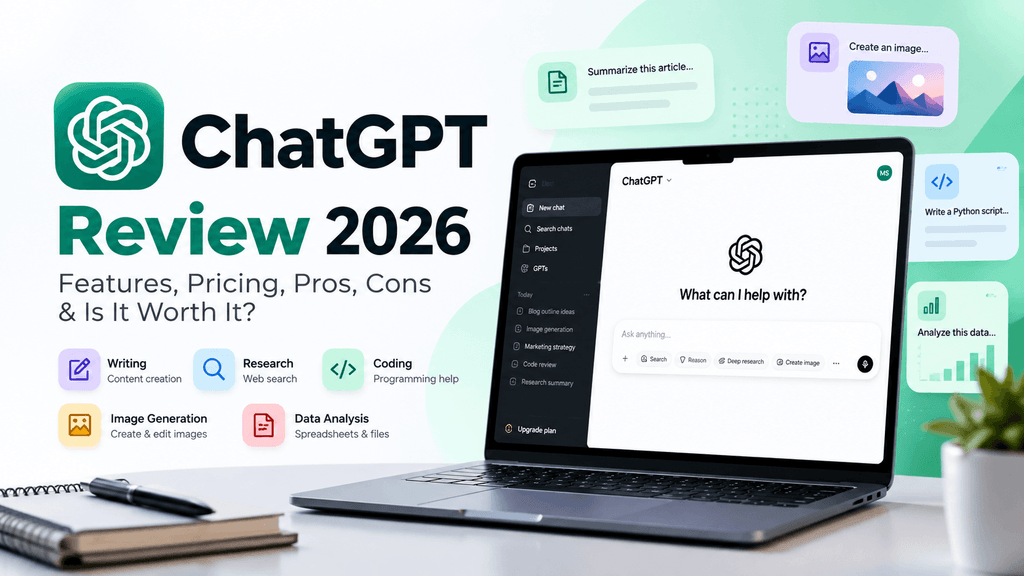
ChatGPT is a conversational AI assistant developed by OpenAI. It understands natural-language instructions and generates responses to questions, prompts, and uploaded content.
You can use it to draft emails, summarize documents, brainstorm business ideas, explain technical concepts, write code, analyze spreadsheets, and perform research.
Unlike a conventional search engine, which primarily helps you find existing webpages, ChatGPT can synthesize information, transform content, and work interactively with you. Its web search and research features can also help you find current information and supporting sources.
The exact capabilities available to you depend on your plan, model, settings, and region.
ChatGPT Features: What Can It Do?
ChatGPT has expanded beyond text conversations into a broader collection of AI tools. Here are its most useful capabilities.
1. AI Writing and Content Creation
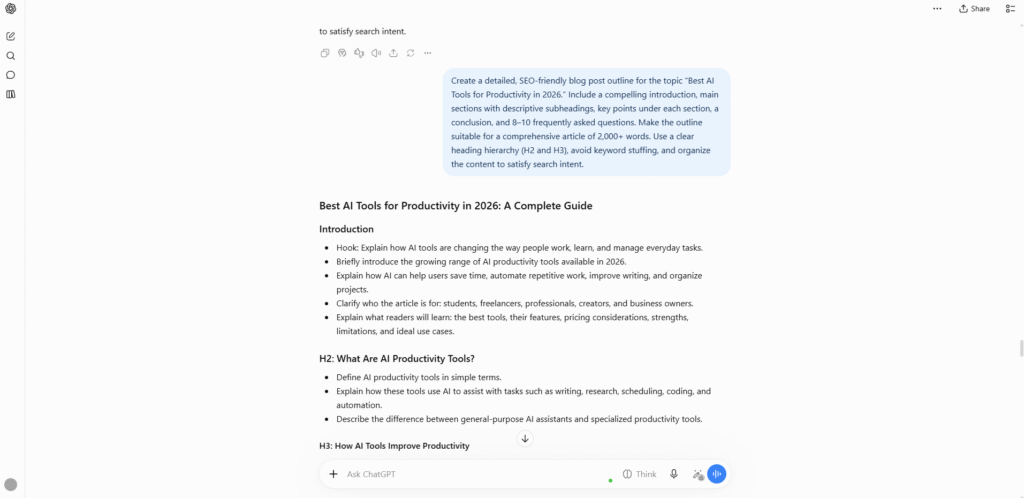
ChatGPT can help create blog outlines, article drafts, product descriptions, social media posts, video scripts, newsletters, emails, and marketing copy.
You can specify your audience, tone, structure, and preferred length, then refine the result through follow-up instructions.
For example, a content creator can ask ChatGPT to turn a topic into a YouTube script, generate title ideas, create a description, and repurpose the script into social media posts.
Best for: Bloggers, marketers, freelancers, business owners, and content creators.
Limitation: AI-generated writing may be generic, repetitive, or factually inaccurate. Important claims and editorial content should be reviewed before publication.
2. Web Search and Research
ChatGPT can search the web for current information when its search feature is available. It can summarize relevant findings and provide links to sources for further verification.
For more complex questions, Deep Research can investigate a topic across multiple sources and produce a structured report with citations.
These capabilities are useful for researching products, exploring business opportunities, understanding industry trends, and preparing content briefs.
However, a cited answer isn’t automatically a correct answer. Sources can be incomplete, outdated, or interpreted incorrectly. Open important references and verify the evidence behind key claims.
Best for: Researchers, students, marketers, analysts, and professionals who need help gathering information.
3. AI Image Generation and Image Understanding
ChatGPT can generate images from text instructions and help analyze images you upload.
For example, you can request a conceptual illustration, brainstorm visual directions for a marketing campaign, ask questions about a chart, or upload a screenshot and request troubleshooting help.
Image generation is useful for ideation and general creative work, but the output may require revisions. Small text, intricate layouts, and highly precise brand assets may need additional editing in a dedicated design tool.
Best for: Creators, marketers, educators, and people who need visual ideas without starting from scratch.
4. Coding and Programming Assistance
ChatGPT can explain programming concepts, generate code, debug errors, suggest improvements, and help developers understand unfamiliar codebases.
It supports tasks across many programming languages and frameworks. Developers can use it for everything from simple HTML and CSS changes to debugging JavaScript, writing Python scripts, and understanding API integrations.
For more substantial work, coding-oriented capabilities and tools may help with multi-file projects and iterative development.
Still, generated code should be tested. ChatGPT may suggest outdated APIs, overlook security problems, or produce code that appears correct but fails in a real environment.
Best for: Developers, students, technical writers, and people learning to code.
5. File Uploads and Data Analysis
ChatGPT can work with supported files, including documents and spreadsheets, subject to the applicable limits.
Its data-analysis capabilities can help clean datasets, calculate statistics, identify patterns, summarize information, and produce visualizations.
For example, a business owner might upload a sales spreadsheet and ask which products contribute most to revenue, or a marketer might analyze campaign performance data.
The quality of the analysis depends on the input data, instructions, available tools, and how the results are checked. Verify important calculations before using them for business or financial decisions.
6. Voice Conversations and Multimodal Interaction
ChatGPT supports voice interactions on supported platforms, allowing users to speak naturally instead of typing every request.
Depending on availability, supported features may also include image input, video or screen sharing in eligible voice modes, and other multimodal interactions.
This can be useful for language practice, brainstorming while away from a keyboard, asking questions about visual information, or working through a problem conversationally.
Feature availability and usage limits vary by plan, device, and mode.
7. Projects, Memory, and Customization
ChatGPT includes features that can make ongoing work more organized.
- Projects: Keep related chats, files, and instructions together for a continuing task.
- Memory: When enabled, ChatGPT can use relevant remembered information to personalize future responses.
- Custom GPTs: Use specialized assistants configured for particular tasks, subject to current plan and workspace availability.
These features can be valuable when working on long-term projects, preparing recurring reports, or maintaining consistent instructions across multiple conversations.
They do not eliminate the need to review outputs or manage sensitive information carefully.
Official feature documentation: https://help.openai.com/en/articles/9260256-chatgpt-capabilities-overview
ChatGPT Pricing and Plans
ChatGPT offers a free plan and paid subscription options. The available plans, included features, and usage limits can change over time.
| Plan | Best suited for | What to expect |
|---|---|---|
| Free | Casual users and beginners | Access to core ChatGPT capabilities with limits on selected tools |
| Go | Users who need more access than Free | Expanded access to selected features, subject to plan limits and availability |
| Plus | Regular individual users | Higher access to advanced capabilities and additional productivity features |
| Pro | Heavy individual users | Higher usage allowances and expanded access to advanced capabilities |
| Business | Teams and organizations | A business workspace with collaboration and administrative features |
| Enterprise | Larger organizations | Enterprise-oriented security, administration, and support options |
Important: This is a high-level overview, not a guarantee that every feature is included in every region or subscription. Check the official pricing page for the current plan comparison.
Official pricing: https://chatgpt.com/pricing/
Is ChatGPT Free Enough?
For many people, yes.
The free plan is a reasonable starting point if you want to ask questions, draft content, explore AI assistance, or occasionally use supported tools such as web search, file uploads, and image generation.
However, advanced tools have separate limits. If you frequently perform research, analyze large amounts of data, or work with demanding tasks, you may encounter those limits.
Is ChatGPT Plus Worth It?
A paid plan may be worthwhile if ChatGPT is part of your regular workflow.
Consider upgrading if you frequently reach free-tier limits, rely on advanced reasoning or research, or need more extensive access to supported productivity features.
Before subscribing, compare the current plan benefits with the tasks you actually perform. Paying for a subscription makes less sense if you only use ChatGPT occasionally.
Should You Buy ChatGPT Pro?
Pro is aimed at users who need substantially greater access to advanced capabilities for demanding workloads.
It may suit professionals who rely on ChatGPT intensively for research, development, or other complex tasks. Casual users should generally explore the free plan before considering a higher-cost subscription.
Our recommendation: Start with Free, measure how often you hit its limits, and upgrade only when the additional access provides enough practical value.
ChatGPT Pros and Cons
Pros
- Versatile: Handles writing, research, coding, learning, and many other tasks.
- Easy to use: Natural-language prompts make it accessible to beginners.
- Multimodal capabilities: Supports supported combinations of text, images, files, voice, and data analysis.
- Flexible workflows: Projects and other productivity features help organize ongoing work.
- Free entry point: You can explore the product before paying for a subscription.
- Useful for iteration: You can refine an answer through follow-up instructions rather than restarting every task.
Cons
- Can make mistakes: Responses may contain false claims or misleading explanations.
- Usage limits apply: Access to advanced tools varies by plan and feature.
- Needs human review: Important research, calculations, code, and published content require verification.
- Results depend on prompts: Vague instructions can lead to generic or irrelevant output.
- Privacy requires care: Users should understand data controls and organizational policies before uploading sensitive information.
- Not always the best specialist: Dedicated tools may be more suitable for particular workflows or highly specialized requirements.
Who Should Use ChatGPT?
ChatGPT is most useful when you need one flexible assistant for a range of tasks.
| User type | How ChatGPT can help |
|---|---|
| Students | Understand concepts, summarize study material, and create practice questions |
| Bloggers | Build outlines, draft articles, and brainstorm content ideas |
| Marketers | Create campaign concepts, research audiences, and repurpose content |
| Developers | Debug code, understand APIs, and generate programming examples |
| Freelancers | Draft proposals, emails, and client documentation |
| Business owners | Explore ideas, analyze supported data, and streamline routine writing |
| Everyday users | Ask questions, plan activities, learn skills, and solve practical problems |
ChatGPT is less suitable as an unquestioned authority for high-stakes decisions or as a substitute for professional judgment.
Is ChatGPT Accurate?
ChatGPT can produce clear, convincing answers that are nevertheless wrong.
It may misunderstand a question, invent details, misinterpret sources, or make mistakes in calculations and code. Web search and citations can improve verifiability, but they do not guarantee accuracy.
To get more reliable results:
- Provide the relevant context and constraints.
- Ask for sources when factual claims need verification.
- Open the sources and check whether they support the answer.
- Test generated code and calculations.
- Seek qualified professional advice for consequential medical, legal, or financial decisions.
For AIReviewDesk readers, the key distinction is that ChatGPT is a useful assistant, not an infallible source of truth.
ChatGPT Alternatives
ChatGPT is not the only general-purpose AI assistant worth considering. The best alternative depends on what you want to accomplish.
Claude
Claude, developed by Anthropic, is an alternative to consider for writing, document analysis, coding, and long-form work.
Explore it if your workflow is especially focused on drafting, editing, or working with substantial amounts of text.
Official website: https://claude.ai/
Google Gemini
Gemini is Google’s AI assistant. It is worth evaluating if you already use Google’s ecosystem or want to explore its supported multimodal and productivity capabilities.
Official website: https://gemini.google.com/
Microsoft Copilot
Microsoft Copilot is worth considering for users interested in Microsoft’s AI ecosystem and its supported productivity integrations.
Official website: https://copilot.microsoft.com/
Alternative features, integrations, and pricing change frequently. Compare current plans and test each product on your own tasks before choosing.
Final Verdict: Should You Use ChatGPT?
ChatGPT is a strong choice for anyone who wants a general-purpose AI assistant that can support a wide variety of tasks from one interface.
It is especially useful for writing, brainstorming, research assistance, coding help, learning, and working with supported files. Its broader collection of tools makes it more versatile than a chatbot limited to text conversations.
Its limitations matter, though. You should verify important claims, review generated content, test code, and understand the subscription limits before relying on it for demanding workflows.
Our recommendation: Try the free plan first. If you consistently need more access to advanced capabilities, compare the paid plans and choose the one that best matches your workload.
ChatGPT is worth exploring for most people who want to work more efficiently with AI, provided they treat its outputs as assistance rather than unquestionable answers.
Ready to try it? Visit the official website: https://chatgpt.com/
Frequently Asked Questions
Is ChatGPT free?
Yes. ChatGPT offers a free plan, although access to selected models and tools is limited. Paid plans provide expanded access, with details depending on the current subscription.
What is ChatGPT best for?
ChatGPT is best for a broad range of tasks, including writing, research assistance, coding, learning, brainstorming, and analyzing supported files.
Can ChatGPT browse the internet?
Yes. ChatGPT Search can retrieve current web information when available. Deep Research is designed for more complex, multi-step research tasks. Availability and usage limits vary.
Is ChatGPT good for coding?
ChatGPT can explain programming concepts, generate code, and help troubleshoot errors. Developers should test its suggestions and review security, compatibility, and correctness.
Is ChatGPT better than Claude?
Neither is universally better. The choice depends on your tasks, preferred workflow, available features, output quality, and budget. Test both on the same representative tasks to make a fair comparison.
Is ChatGPT Plus worth paying for?
It can be worthwhile for frequent users who benefit from higher limits and expanded access to advanced capabilities. Occasional users may find the free plan sufficient.
Can ChatGPT generate images?
Yes. ChatGPT supports image generation, subject to the available features and limits of the user’s plan and account.
Can ChatGPT make mistakes?
Yes. It can produce inaccurate information, faulty calculations, and incorrect code. Verify important outputs against reliable sources or independent tests.
Is ChatGPT safe to use for confidential information?
Use caution. Review the relevant data controls and privacy terms, and avoid sharing sensitive information unless you have an appropriate, authorized workflow.